
How to Brand Referrals
Overview
With your referral rewards setup, it's time to make sure that referrals looks how you want to your customers and that it's clear!
Step-by-Step Guide
-
Accessing the Referral Branding Section
- Navigate to Loyalty Branding: Click on "Loyalty Branding" in the left sidebar of your Raleon dashboard.
- Open Referrals: Select "Referrals" from the available options. You will see a live preview on the right and customization options on the left.
-
Customizing Referral Appearance
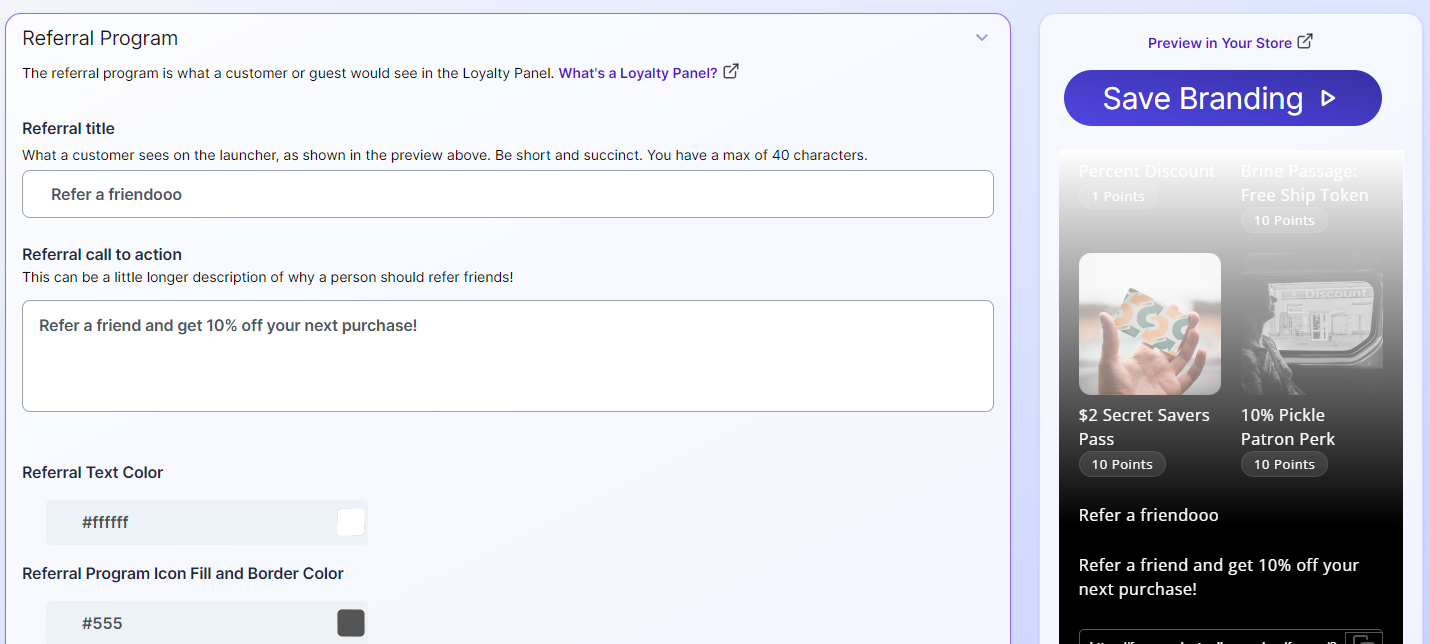
- Referral Title: Customize the title of the referral section to make it clear and enticing.
- Referral Call to Action (CTA): Craft a compelling CTA that clearly states the reward, such as "Refer a friend and get 10% off your next purchase."
- Referral Text Color: Adjust the color of the referral text to match your brand's color scheme.
- Referral Program Icon Fill and Border Color: Customize the colors of the icons used in the referral section to ensure they align with your brand's visual identity.
-
Customizing Link Sharing Experience
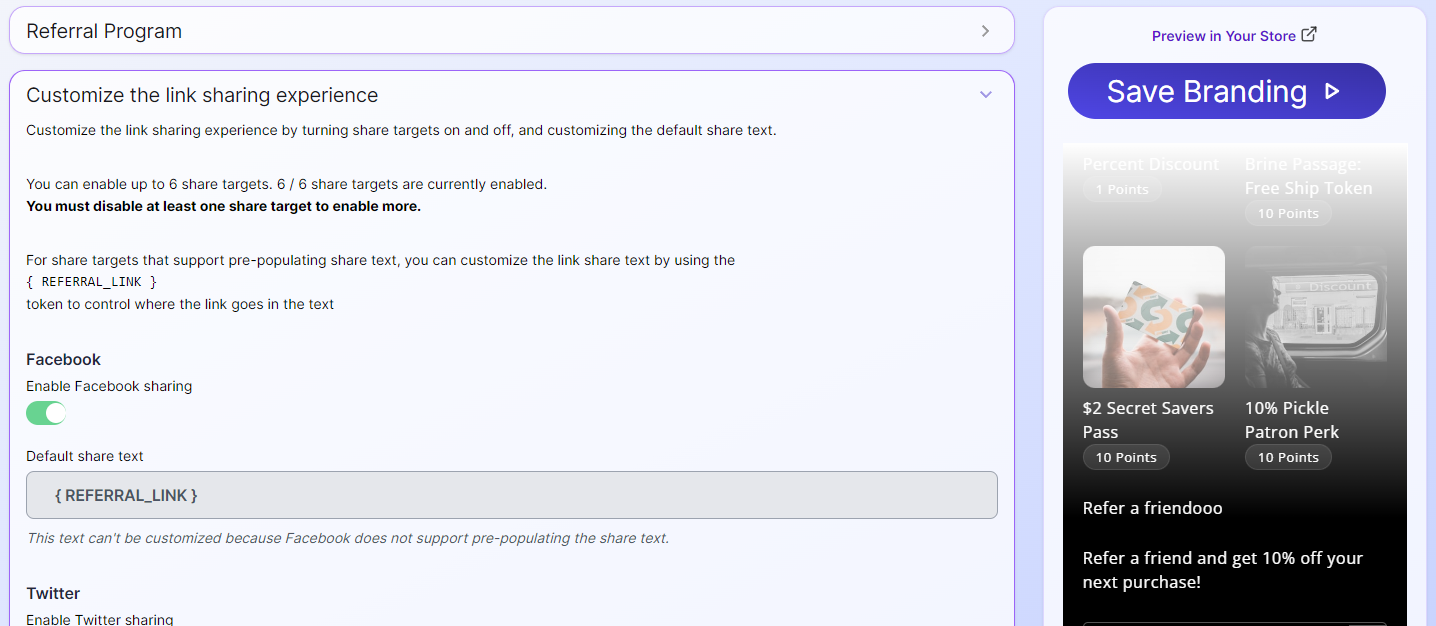
- Expand Customized Link Sharing: Click on the "Customized Link Sharing Experience" section.
- Enable/Disable Share Icons: Toggle the icons for social platforms like Facebook, Twitter, WhatsApp, etc., to enable or disable them. A maximum of six platforms is supported.
- Default Share Text: Predefine the text that will accompany the shared referral link, ensuring it aligns with your brand's messaging.
- Dynamic Referral Link: The referral link will automatically be included in the share text, uniquely identifying each user.
-
Previewing Changes
- Live Preview: As you make changes, the live preview on the right will update in real-time, allowing you to see how the referral section will appear to loyalty members.
-
Finalizing the Referral Section
- Automatic Integration: Once a customer becomes a loyalty member, the referral section will automatically appear at the bottom of their page, including the specialized copy link for that specific user.
- Referral Way to Earn: The referral section will also automatically add a "Referral" way to earn points, enhancing the loyalty experience.
By customizing the branding of your loyalty referrals, you can create a visually appealing and consistent experience that encourages customers to participate in your referral program and promote your brand to their friends and family.
Updated about 1 year ago